The removal of WMIC commands changes how you manage Windows, but the underlying security risks haven't gone away. While Microsoft has retired the old wmic.exe tool, the WMI system itself remains a primary target for fileless attacks and stealthy persistence. This guide provides essential translations to migrate your legacy WMIC tasks to secure PowerShell CIM cmdlets.
Stop Relying on WMIC Commands: Your 2026 Defensive Guide
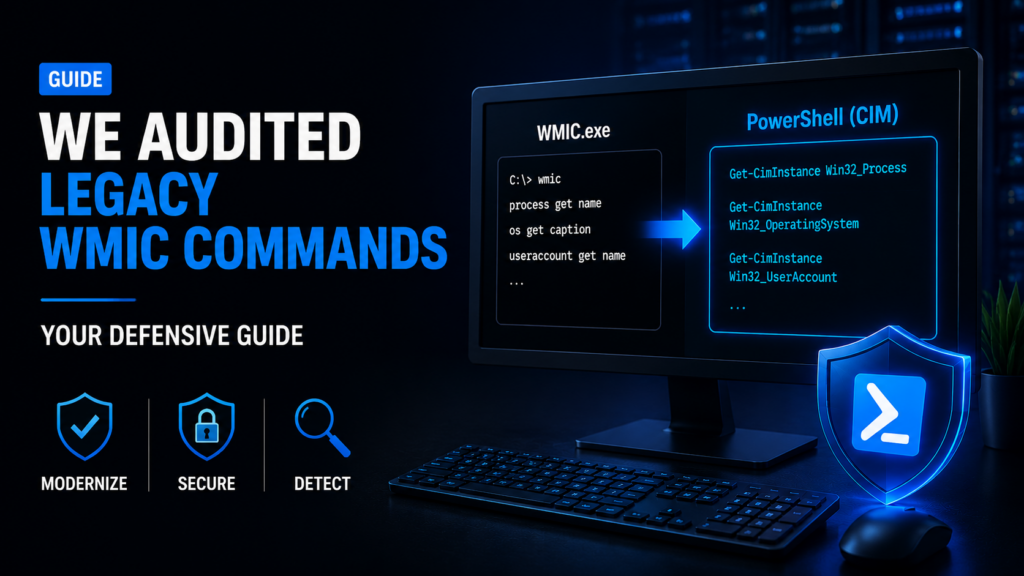
For over 20 years, Windows Management Instrumentation Command-line (WMIC) was the go-to tool for IT teams. But those days are over. Microsoft has officially discontinued wmic.exe.
This shift puts IT directors and SOC managers in a difficult position. You must quickly translate your legacy WMIC commands into modern PowerShell scripts. At the same time, you have to defend the core WMI engine from attackers.
Threat actors don't need custom malware to move through your network. They simply weaponise the very admin tools you trust. This "Living off the Land" approach is the preferred method for advanced persistent threats and modern ransomware groups.
Protecting against these invisible attacks requires a comprehensive understanding of how native tools work. That's why our skilled team of experts relies on thorough manual testing. We don't just run automated scanners. We hunt for the subtle, fileless traps that off-the-shelf software misses entirely.
What We'll Cover
- When WMIC is actually going away and what it means for your team.
- How to swap old commands for safe, modern PowerShell versions.
- Why querying
Win32_Productis a dangerous mistake. - How ransomware and hackers use WMI to stay hidden.
- Why manual security audits find the "fileless" threats that scanners miss.
The Timeline for WMIC's Removal
The removal of WMIC didn't happen overnight. Microsoft officially deprecated the wmic.exe utility back in May 2021, starting with Windows 10 version 21H1.
They didn't break everyone's scripts immediately. Instead, they slowly phased it out.
Starting with Windows 11 version 24H2, the tool is disabled by default. It hasn't been wiped from existence; you can still install it as an optional "Feature on Demand". But you shouldn't.
Relying on a deprecated tool creates massive tech debt. If you don't update your deployment scripts and monitoring agents now, you'll soon face broken systems and major blind spots.
Upgrading WMIC Commands: The Network Protocol Shift
Moving to modern PowerShell Get-CimInstance cmdlets isn't just updating text. It's a massive security upgrade as well.
Legacy WMIC interactions relied largely on the Distributed Component Object Model (DCOM) and Remote Procedure Calls (RPC). This old setup uses dynamic, high-numbered ports.
It's an absolute nightmare for modern firewalls and makes it easy for attackers to move laterally across your network.
Modern CIM cmdlets fix these issues. They connect using Windows Remote Management (WinRM). WinRM operates over standard web ports (HTTP 5985 and HTTPS 5986). This gives you standard, highly encrypted, and easily monitored remote management sessions.
The Win32_Product Landmine
When translating commands, many guides tell you to replace wmic product get name with Get-CimInstance Win32_Product. Do not do this.
Querying the Win32_Product class is a famous mistake in system administration. It isn't a passive read operation. When you query it, Windows forces a consistency check on every single MSI package installed on your machine. This spikes your CPU, hammers your disk, and can even trigger accidental app repairs that break live servers.
Instead, use safe alternatives like Get-Package or query the registry directly.
Safe Translation of Common WMIC Commands
| System Administration Task | Legacy WMIC Syntax (wmic.exe) | Modern PowerShell Syntax (Get-CimInstance) |
|---|---|---|
| Enumerate Running Processes | wmic process get name, processid | Get-CimInstance Win32_Process | Select-Object Name, ProcessId |
| Retrieve OS Information | wmic os get caption, | Get-CimInstance Win32_OperatingSystem | Select-Object Caption, Version |
| Enumerate Installed Software | wmic product get name, versionDO NOT USE. | Use Get-Package or Get-ItemProperty HKLM:\SOFTWARE\Microsoft\Windows\CurrentVersion\Uninstall\* |
| Query Local User Accounts | wmic useraccount get name, sid | Get-CimInstance Win32_UserAccount | Select-Object Name, SID |
| System Memory Hardware | wmic memorychip list full | Get-CimInstance Win32_PhysicalMemory | Select-Object Capacity, Speed, Manufacturer |
| Check Domain Role | wmic computersystem get domainrole | (Get-CimInstance Win32_ComputerSystem).DomainRole |
| List BIOS Information | wmic bios get serialnumber | Get-CimInstance Win32_BIOS | Select-Object SerialNumber, SMBIOSBIOSVersion |
| Query Disk Drive Health | wmic diskdrive get status | Get-CimInstance Win32_DiskDrive | Select-Object DeviceID, Model, Status |
| View Logical Disk Space | wmic logicaldisk get name, freespace | Get-CimInstance Win32_LogicalDisk | Select-Object DeviceID, @{n="FreeGB";e={$_.FreeSpace / 1GB}} |
| List Network Adapters | wmic nic get name, macaddress | Get-CimInstance Win32_NetworkAdapter | Where-Object PhysicalAdapter -eq $true | Select-Object Name, MACAddress |
| Identify CPU Details | wmic cpu get name, numberofcores | Get-CimInstance Win32_Processor | Select-Object Name, NumberOfCores, MaxClockSpeed |
| List System Drivers | wmic sysdriver get name, state | Get-CimInstance Win32_SystemDriver | Select-Object Name, State, StartMode |
| Check Startup Programs | wmic startup list full | Get-CimInstance Win32_StartupCommand | Select-Object Name, Command, User |
| List Logged On Users | wmic loggedonuser get antecedent | Get-CimInstance Win32_LoggedOnUser | Select-Object Antecedent |
| Query System Motherboard | wmic baseboard get product | Get-CimInstance Win32_BaseBoard | Select-Object Manufacturer, Product, SerialNumber |
| List Shared Folders | wmic share get name, path | Get-CimInstance Win32_Share | Select-Object Name, Path, Description |
| Retrieve Time Zone Info | wmic timezone get caption | Get-CimInstance Win32_TimeZone | Select-Object Caption, StandardName |
| Check Battery Status | wmic path win32_battery get status | Get-CimInstance Win32_Battery | Select-Object EstimatedChargeRemaining, Status |
Understanding the Real Threat: WMI vs. WMIC Commands
We need to clear something up. Microsoft is retiring the wmic.exe command-line tool. They are not retiring the WMI engine itself.
The WMI repository is still there, inside Windows. Removing the old text parser doesn't patch the engine. Threat actors who use tools like Impacket, modern PowerShell, or native COM APIs to interact with WMI are unaffected by this change.
Because it's a native, trusted system component, WMI is a perfect vehicle for "Living off the Land" attacks.
How Hackers Weaponise Your Infrastructure
The biggest threat isn't the wmic.exe tool but the WMI system underneath. Attackers don't need the old tool to talk to it. They can use PowerShell, Python, or other native Windows features to do the same damage.
Stopping Backups
Ransomware groups want to make sure you can't recover your data. Before they encrypt your files, they try to delete your "Shadow Copies" (your local backups). They used to do this with a command like: wmic.exe shadowcopy delete /nointeractive
Now, they use PowerShell or Impacket to trigger the same destruction through the WMI engine, bypassing the missing WMIC tool.
They use your system tools to burn the lifeboats before they sink the ship.
Establishing Fileless Persistence
The most dangerous part of WMI is that it can store malicious code in its database. This is called "fileless persistence". It’s like a ghost in the machine.
Hackers do this by linking three specific parts of the WMI database.
- An Event Filter: A "trigger" that waits for something to happen, like a user logging in.
- A Consumer: The malicious action that happens when the trigger goes off.
- A Binding: The link that connects the two.
So, when the admin logs in, Windows sees the trigger and automatically runs the hidden script with top-level system privileges.
Because the code lives inside the WMI database and not in a normal file, most antivirus programs won't see it. It can stay there for months, waiting to strike, even if you reboot the computer.
Securing Your Systems for 2026
The wmic.exe tool is gone, but the threat remains. Upgrading your scripts to PowerShell WinRM is a great step for network hygiene, but it doesn't secure the WMI engine itself.
Defending your network today means moving past simple command-line monitoring. You need to look closely at behaviour.
Why Scanners Miss WMI Abuse
Automated security scanners are great at finding missing patches or outdated software. But they’re blind to an attacker abusing native tools.
A scanner won't sound the alarm if it sees legitimate WMI traffic. It also won’t dig into the proprietary OBJECTS.DATA file to find a malicious hidden script.
This is where the human element makes the difference. At 7ASecurity, we don't just use automated tools and call it a day, and we never rely on interns or new grads to review scanner output.
Because of our strict hiring process, our pentesters are top industry experts. They manually dig into your systems to find the fileless hooks that scanners miss and examine the tiny details and patterns that only an experienced eye can catch.
To find the deep threats hiding in your systems, you need human intuition and serious technical skill. That's how 7ASecurity runs every internal penetration test we do.
Find What’s Hiding in Your Network
Automated tools won't spot fileless WMI persistence. Get a fully customised, expert-led security audit that identifies how hackers could exploit your native systems.
Secure Your Infrastructure Today
Frequently Asked Questions About WMIC Commands
Why did Microsoft deprecate the WMIC command?
Microsoft officially deprecated the tool in May 2021 to modernise system administration and push users toward more secure, encrypted management methods. PowerShell CIM cmdlets use Windows Remote Management (WinRM), which is much safer than the old protocols WMIC relied on.
Is WMIC completely removed from Windows 11?
Microsoft has stopped including it by default in Windows 11. While you can still add it back as an optional feature, it’s best to stop using it. You should move your tasks to PowerShell instead.
Why shouldn't I use Get-CimInstance Win32_Product?
Querying the Win32_Product class forces Windows to run a consistency check on every installed MSI package. This causes massive CPU spikes and can accidentally trigger application repairs that break production servers.
Always use Get-Package or query the registry instead.
What is a Living off the Land (LOTL) attack?
This is an attack where hackers use legitimate, built-in system tools (like WMI or PowerShell) to carry out their goals. Because the operating system trusts these tools, the attacks often bypass standard antivirus software.
How does 7ASecurity find these hidden threats?
We use manual testing led by senior experts. We don't just rely on automated scans. Our team knows how to look inside system databases and find the subtle signs of a hacker living off the land.