
Managing Entra roles is no longer just assigning permissions; it’s about automating how we remove access. Microsoft Entra is shifting away from broad built-in roles like Global Admin toward highly specialised, restricted roles. As of 2026, the secure-by-default standard requires Zero Standing Access (ZSA). With ZSA, permissions are only granted temporarily and are controlled by changing risk signals.
Strategic Identity Architecture: Mastering Microsoft Entra Roles
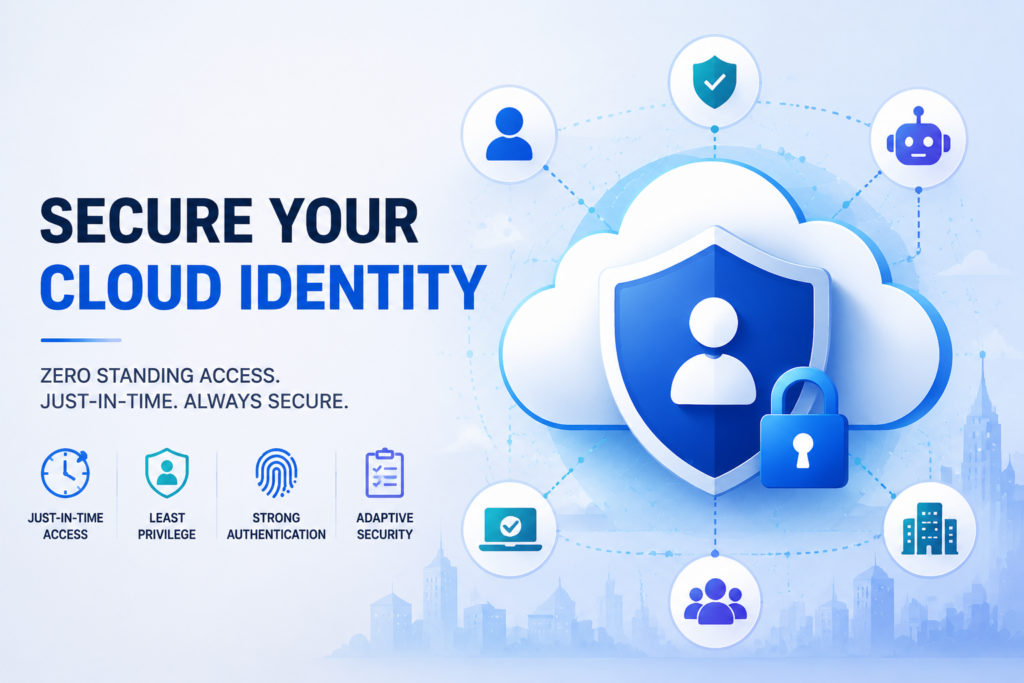
The business landscape has moved past the network threshold. Identity is now your primary line of defence. How you manage Entra roles will dictate your company's security as AI and autonomous agents are used more and more.
For CIOs and IAM leads, the burden of protecting sensitive data is heavier than ever. Attackers are no longer breaking into systems; they’re simply logging in. They do so by exploiting weak permissions and legacy accounts.
Managing this risk takes more than a checklist. It requires a thorough understanding of how identity orchestration actually works.
While automated scanners have their uses, they often misidentify legitimate threats and fail to detect subtle logic errors that can lead to domain takeovers. This is why our highly skilled technical team focuses on manual, researcher-led investigations.
We don't just find issues; we map the technical mechanisms attackers use to escalate privileges.
What We'll Cover
- New specialised roles for AI governance and autonomous agents.
- The October 2026 Kill Switch for legacy PIM APIs.
- The truth about Shadow Admins and hybrid sync gaps.
- Modern standards for Just-in-Time (JIT) access and adaptive security.
- Why we use a custom 16-tier framework to audit sensitive cloud environments.
The 2026 Evolution of Built-In Entra Roles
Microsoft has gradually removed the need for broad, high-impact roles like Global Administrator. The modern standard is to divide power into highly specialised domains. This supports the principle of least privilege.
Governance for AI and Agents
As we add AI to our daily workflows, creating specialised Entra roles is essential to stay secure. Two critical roles reached General Availability (GA) recently as part of the Microsoft Entra Agent ID platform.
- AI Administrator (GA Nov 2024). This role allows teams to manage Microsoft 365 Copilot and AI-related services without granting access to core directory settings.
- Agent ID Administrator (GA April 2026). This role manages the lifecycle of Agent Identity Blueprints. It makes it possible to manage separate workloads without giving human accounts unnecessary privileges.
However, these new roles need close supervision. Even a built-in role can become a takeover primitive if it's improperly assigned. For example, if a Workload Identity role is granted to a service principal that can also modify human user accounts, you've created an accidental path to Global Admin.
The Map for Privileged Identity Management (PIM)
Today, standing privileges aren’t being used anymore. Assigning these means leaving admin roles permanently assigned to a user. This is a dangerous practice.
The current industry standard is Zero Standing Access (ZSA), accomplished through PIM for Groups and PIM for Resources.
The PIM API Kill Switch
A critical date for your technical team is 28 October 2026. On this day, all legacy PIM Iteration 2 (beta) APIs will stop returning data. This specifically impacts those targeting the /beta/privilegedAccess endpoint.
Your organisation must migrate all scripts and automation to the Microsoft Graph Iteration 3 (GA) APIs. This feature uses the unifiedRoleAssignmentScheduleRequest objects. It provides a unified, reliable interface for managing all role and group assignments.
Adaptive Just-in-Time (JIT) Access
Entra role activation is an adaptive event. It's no longer enough to just click Activate. The modern standard includes:
- Device-Bound Passkeys (FIDO2). These use phishing-resistant, hardware-backed credentials to prevent session theft.
- Approval Workflows. These require secondary human approval or an automated ITSM integration (like a ServiceNow webhook) before a role is granted.
- Conditional Access Context. This process evaluates real-time signals like device health and location before granting PIM activation.
- Azure IMDS Header Enforcement. This makes sure that all cloud resources are hardened against metadata service attacks.
How Attackers Exploit Your IAM Structure
Forensic reviews of recent breaches show that attackers ruthlessly exploit the gaps between different security planes.
The Shadow Admin Reality
A common risk we find in our audits involves Shadow Admins. Imagine an attacker compromises a user with Azure Subscription Owner rights.
Usually, this person can't touch the identity directory. However, they can hijack a Virtual Machine. From there, they can query the IMDSv2 endpoint to extract the JWT token of its Managed Identity.
If an Entra admin mistakenly granted that Managed Identity a directory role like Privileged Role Administrator, the attacker has just crossed the plane. In this case, they can use that Managed Identity to assign the Global Administrator role to their own backdoor account. This bypasses human logs entirely.
The Midnight Blizzard Pivot
In the 2024 Midnight Blizzard campaign, the attacker didn't just pivot from a test tenant. They compromised a legacy account that lacked MFA. From there, they abused a legacy OAuth application (Service Principal).
This application had previously been granted high-level permissions (full_access_as_app) in the production corporate tenant. This made it possible for the hackers to read senior leadership emails without ever touching a human corporate account.
Why Manual Cloud Audits are Essential
Automated IAM scanners are blind to these complex, multi-stage attack paths. A scanner can tell you if an account has a privileged role. It won't recognise that a seemingly low-level Synced Identity can lead to a cloud takeover.
In the Storm-0501 campaign, attackers compromised on-premises servers to reset passwords for synced identities. If those accounts were improperly granted cloud privileges, it violated the Cloud-Only admin rule and gave the attacker instant cloud access. This highlights why an in-depth internal security assessment is crucial alongside your cloud audits.
When we conduct a Cloud Audit, we use a custom 16-tier review framework. This bridges the gap between legacy Tiering and modern cloud governance. We investigate your sync servers as Tier-0 assets. We then map exactly how an attacker could move from a local server to a global cloud role.
Our reports are thorough and straightforward. We’ll show you what we found and how we did it. The report will also give you actionable steps to fix the root cause of these risks.
Investigate Your Cloud Security
Automated tools won't find the hidden escalation paths in your Entra roles. Find out how to protect your identity perimeter with a detailed, expert-led cloud audit.
Secure Your Cloud Identity Today
Frequently Asked Questions About Entra Roles
What’s the difference between a role-assignable group and a standard security group?
In Entra ID, a role-assignable group is a specialised security group. It’s created with the isAssignableToRole property set to true. Unlike standard groups, only a Global Administrator or a Privileged Role Administrator can manage the membership of these groups.
This prevents lower-tier admins, like a User Administrator, from accidentally (or maliciously) adding someone to a group that has high-level permissions. This stops them from effectively creating a Shadow Admin shortcut.
How does PIM for Groups handle Mover scenarios when someone changes departments?
Most secure companies use Lifecycle Workflows to manage this. When an employee’s department or status changes with HR, a workflow can automatically remove their eligibility from old PIM groups and add them to new ones.
This makes sure that a Mover won’t carry their old admin privileges into a new role. This prevents a common issue called "privilege creep" that auditors look for during manual assessments.
Do I need a separate licence for Workload Identity PIM?
Yes. As at May 2026, Microsoft Entra Workload ID Premium is a standalone licence (typically €2.75 ($3.00) per workload per month). It’s not included in standard Entra ID P2 or the M365 E5 bundle.
You need this specific licence to apply PIM features, like Just-in-Time access and access reviews, to your Service Principals and Applications. Relying on P2 human licences to cover non-human identities is a major compliance gap.
Can I require an Approval for a PIM activation even if MFA is already enforced?
Absolutely. This is a 2026 best practice for Tier 0 roles. While MFA proves who the person is, an Approval Workflow proves they have a valid reason to be acting at that moment. By integrating PIM with your ITSM (like ServiceNow), you can make sure that a Global Admin role can only be activated if there’s an open, approved ticket.
This Dual-Key approach is what separates an elite security posture from a basic configuration.
How do attackers exploit hybrid sync?
Attackers often target on-premises sync servers. If an identity synced from on-premises has been mistakenly given cloud-level permissions, an attacker who resets that user's local password can use it to log in as a cloud admin.
What is a Device-Bound Passkey?
This is the 2026 standard for phishing-resistant MFA. It uses the FIDO2 protocol to bind your login to a specific piece of hardware (like a security key). This makes it nearly impossible for an attacker to steal your login session.
Book Your Elite Cloud Audit
Want to Read More?
- Defend against advanced identity threats with our Kerberoasting detection blueprint.
- Understand the mechanics of legacy authentication risks in our NTLM hash security guide.
- Learn why protecting your internal network is critical for overall business resilience.