
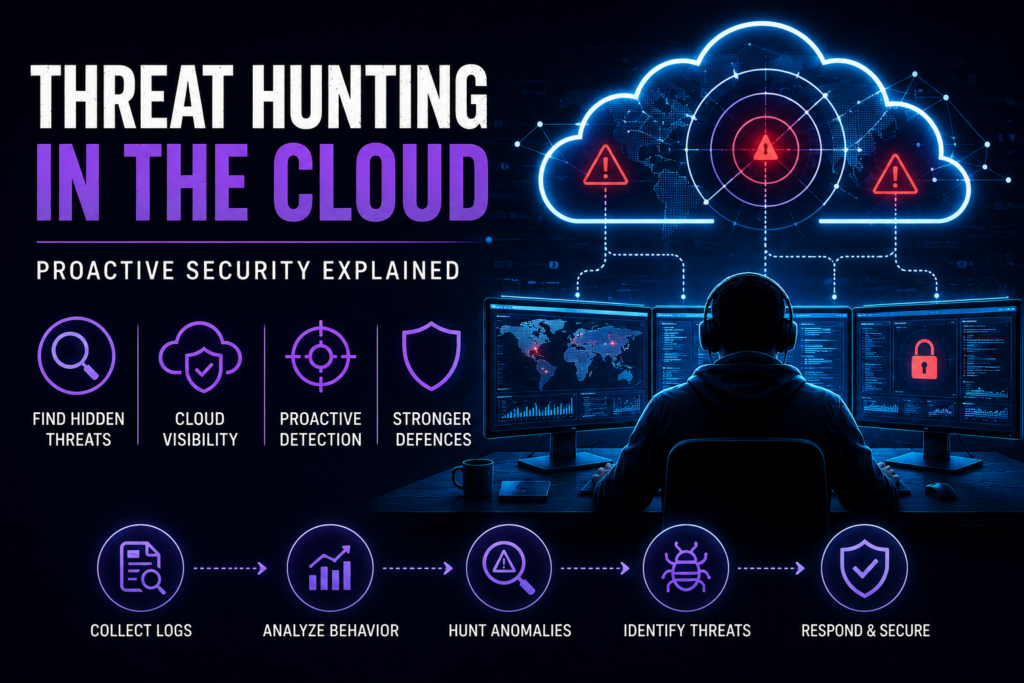
Threat hunting in the cloud is the only reliable way to find sophisticated attackers hiding inside your infrastructure.
Your cloud setup probably triggered dozens of security alerts last week. Most of them were just noise. A few were duplicates. But one of them might’ve been a real threat buried in the endless queue.
You see, the unfortunate reality is that the tools built to protect you often generate so much data that real threats hide in plain sight. Standard systems wait for known attack patterns. They only react. By the time they finally send a useful alert, a hacker might’ve already stolen your customer data or set up a permanent backdoor.
Threat hunting in the cloud is vital because remote servers don't act like traditional office networks. The attack surface changes constantly. Servers spin up and shut down in seconds. APIs connect everything together.
If you rely on cloud infrastructure, passive software isn't enough to protect your systems and data anymore.
Why Threat Hunting in the Cloud Is Different
Threat hunting means deliberately searching for malicious activity that’s already bypassed your firewalls. It isn't just responding to an incident. It’s an active investigation that requires expert technical skill and creative thinking.
In a normal office network, analysts look at physical server logs and network traffic. The boundaries are clear. You know exactly where your data lives.
Cloud environments complicate everything.
The Visibility Problem
When your infrastructure runs on someone else's hardware, you lose direct access to certain layers of data. You can't inspect the core hardware. Your visibility depends entirely on the logs your provider allows you to see.
This creates massive blind spots. Hackers know these blind spots exist, and they specifically target the gaps between what you can see and what actually happens.
Imagine a hacker steals a developer's login details through a phishing email. They use those details to access your remote console during normal working hours. Your automated tools just see a normal user doing normal admin tasks.
Nothing looks strange until a human analyst checks the specific API calls and notices tiny changes from normal habits.
The Ephemeral Challenge
Cloud resources come and go rapidly. A web app might launch fifty new servers to handle a traffic spike, then shut them down an hour later.
If a hacker attacks during that short window, the evidence vanishes when the servers power off.
Traditional forensics assumes you can unplug a hard drive and study it later. Cloud forensics requires you to capture important data before the "drive" disappears forever.
The Shared Responsibility Rule
Every major cloud provider, like AWS, Google Cloud, or Azure, uses a shared responsibility model. They secure the physical building and underlying hardware. You must secure everything you build on top of it.
Your provider won't watch for threats in your apps or if your developers accidentally leaked API passwords.
Securing your cloud configuration is your job.
The Identity Perimeter Issue
In the past, your company’s firewall was your main security wall. In the cloud, user identities and access roles form that wall.
So, hackers don't waste time trying to crack cloud servers. Instead, they steal user passwords or hijack poorly configured access roles.
A big part of cloud threat hunting involves tracking how identities behave. Hunters look for users logging in from unusual countries. They watch for accounts that suddenly request access to sensitive storage buckets.
If you don't monitor your cloud identities closely, a hacker can walk right through your front door using a legitimate login.
7 Techniques for Hunting Hidden Threats in the Cloud
Successful threat hunters don’t rely on a single method. They combine several tactics to match the specific environment and how hackers currently operate.
When conducting cloud threat hunting, experts rely on a few core strategies, including:
Hypothesis-Driven Hunting
This is the most structured approach. You start with a specific theory about how an actor might break in. Then, you search your logs for evidence proving or disproving that theory.
For example, you might speculate that a hacker with stolen access will try to list all your storage buckets to find credit card data. Then, you search your logs for those specific commands during odd hours. If you find matches, you investigate further immediately.
Behavioural Baselining
Before you can spot weird activity, you have to know what normal looks like. You must build baselines. You need to know which users access which files, what times are busiest, and which commands happen daily.
Once you set a baseline, a sudden spike in data transfers instantly stands out as a potential threat.
Cloud providers offer built-in tools for this, but they have limits. They apply generic rules that might not fit your business. A skilled analyst uses manual checks to spot the tiny changes automated tools miss.
Intelligence-Led Hunting
Threat intelligence reports explain how specific hacker groups attack other businesses. You can use this information to protect your setup.
If a new report shows hackers using fake OAuth tokens to breach cloud networks, you immediately search your logs for that token abuse. This keeps you one step ahead of trending attacks.
Indicator-Based Searching
Sometimes you know what a malicious file or connection looks like. Security groups share lists of known malicious IP addresses, hazardous file hashes, and fake domain names. These are called Indicators of Compromise (IOCs).
Analysts feed this raw data into your cloud logs to see if those warning signs already exist in your network. While this method looks backward at known threats, it provides a fast way to catch less sophisticated attackers who reuse old tricks.
It also gives you quick confirmation when you combine it with other hunting methods.
Tracking Unusual Data Movement
Attackers generally want to steal your data. To do this, they must move it.
So, analysts monitor your outbound traffic logs to spot strange data spikes. They look for a massive spike in downloads from a customer database to an unknown external server. Or data moving into strange storage regions that your company doesn't normally use.
Catching these weird data flows often stops a breach right before the hacker escapes with your files.
Anomaly Detection and Machine Learning
Cloud platforms generate millions of log entries daily. Security teams can’t read them all.
Using machine learning tools helps you scan massive datasets for odd patterns. These tools flag the strange behaviour, enabling experts to step in and investigate the context.
Tracking Identity and Access Changes
Hackers alter access rules once they’re inside your cloud. They create fake admin accounts or grant themselves extra permissions so they can stay hidden.
Analysts search for unexpected changes to your Identity and Access Management (IAM) roles. If a basic user account suddenly gains the power to delete databases, a hunter investigates that change immediately.
3 Tools to Use When Threat Hunting in the Cloud
Despite the incredibly sophisticated software that security vendors can build, cloud threat detection software remains limited. These programs can only operate within the perimeters set for them and search for known vulnerabilities. Automated tools also generate massive amounts of false alarms.
However, skilled cloud threat hunters also understand their limitations; it's impossible to review every one of the millions of log entries generated each day. So they use specific tools to speed up and support their work and know-how.
Native Cloud Provider Logs
Tools like AWS GuardDuty, Azure Defender, and Google Security Command Center offer basic detection. They catch common attack patterns with very little setup.
However, they mostly act as alarms rather than investigation tools. Hunters use the raw logs from these systems to start their manual searches
SIEM Platforms
Security Information and Event Management (SIEM) systems aggregate your logs into one central place. Platforms like Splunk or Microsoft Sentinel help analysts search through massive amounts of data quickly.
They’re essential for hunting at scale. But they only work well if you feed them the right data and tune them properly.
Cloud-Native Hunting Platforms
Newer platforms attempt to bridge the gap between basic logs and complex SIEMs. They help reduce the manual effort required to sort through data. Still, these tools require analyst expertise to interpret the results.
Tools support the hunt; they don't replace the hunter.
A Basic Cloud Threat Hunt Strategy That Lasts
A one-off threat hunt gives you a helpful snapshot. But a long-term strategy builds real resilience against cyberattacks.
Start by fixing your logs. Ensure your cloud provider records all logins, API calls, and network traffic. Store this data in one central place so your team can easily search it.
Next, plan regular hunting sessions. Don’t try to hunt every single day. Focus on weekly or monthly sessions that target your biggest risks.
Finally, note the results. When an analyst finds a new attack method, your IT team must learn from it. Add the hacker’s steps to your system’s automated checks. This means your alarms will catch the next similar attack instantly.
Even if you don't find anything, these notes will strengthen your defences.
Threat hunting in the cloud acts as a real-world training exercise that improves your daily security habits. Your developers and operations staff see how attacks look in their environment. This shared knowledge changes how they write code and set up servers.
Frequently Asked Questions About Threat Hunting in the Cloud
How does threat hunting differ from standard penetration testing?
- Threat hunting looks for proof that a hacker is already inside your network.
- A penetration test simulates a fake attack to find weak spots before ecriminals do.
Hunting is detective work, while pentesting is a controlled stress test. Mature companies use both to stay secure.
How does cloud threat hunting differ from a code audit?
- Threat hunting in the cloud involves searching live network logs to find signs of an attacker.
- A code audit is when a security expert manually reviews your software's source code to find hidden errors before the app goes live.
What logs do we need before we start hunting?
At a minimum, enable your cloud provider's main audit logs, like AWS CloudTrail or Azure Activity Logs. You also need to track network traffic and login events. Prioritise your most sensitive systems first to keep your storage costs low.
Can we outsource our cloud threat hunting?
Yes, outsourcing is especially helpful if you have a small internal IT team.
However, it requires planning. The external team needs access to your logs and a comprehensive understanding of your normal business habits. It usually works best when external experts team up with your internal IT staff.
Why do automated tools miss cloud threats?
Automated tools rely on strict rules. Hackers often steal valid passwords to perform actions that look like normal IT work. Because the actions are technically allowed, the automated tools fail to flag the malicious intent behind them.
How much time should my team spend threat hunting?
If you have a small security team, dedicate a few focused hours each week. Run hypothesis-driven hunts that target your most valuable data. Trying to hunt all day will just burn out your staff.
Stay Ahead of Cloud Threats
Cybercriminals improve their tactics every day. The businesses that avoid expensive public breaches share one common habit: they actively hunt for threats instead of waiting for an alarm to go off.
At 7ASecurity, we specialise in tracking down stealthy intruders hiding in your cloud and systems. We use manual, expert analysis to clear your network and secure your customer data. Plus, we offer a 100% quality guarantee and free fix verification because your budget deserves real protection, not false promises.